
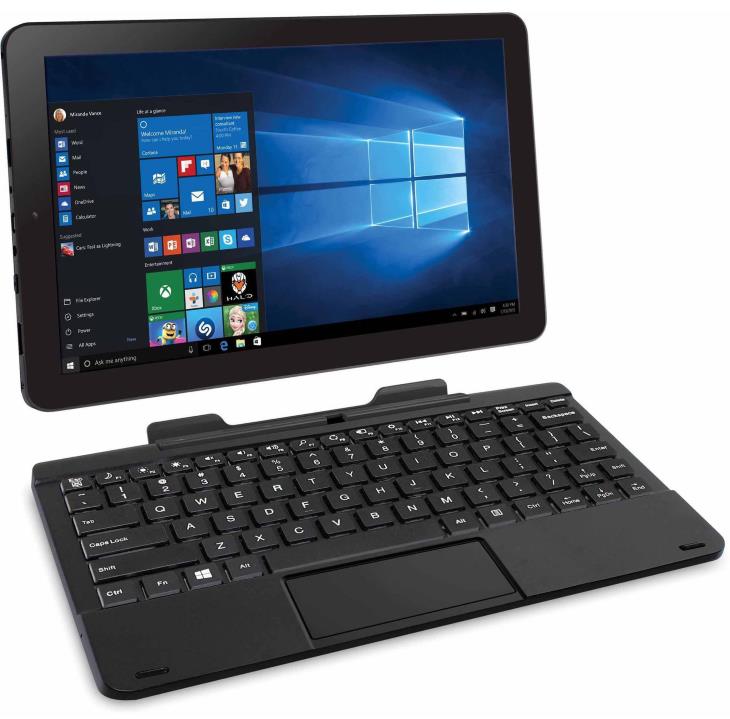
RCA Cambio W101V2 C 10.1″ 2-in-1 Tablet (32GB, Intel Atom Z3735F Quad, Win 10)
Discontinued Product
Add to CompareDescription
The RCA Cambio W101V2 C is a basic and cheap 10.1″ 2-in-1 tablet / laptop hybrid with a detachable “pogo” keyboard, 32GB of internal storage, a low-end Intel Atom quad-core processor, 2GB of system memory, and Windows 10 operating system.
This highly portable 2-in-1 PC weighs in at 2.1 pounds and is 1.1″ thick when combined with the keyboard. It’s available in four different colors: charcoal (black), blue, pink, and purple.
The 10.1-inch multi-touch display has 1280×800-pixel resolution, which is a standard one for this type of a budget 2-in-1 PC device. There’s no word on IPS technology for wide viewing angles in the specs sheet of the RCA Cambio W101V2 C, but the previous W101 model is listed with IPS on the manufacturer’s website. The touchscreen is accompanied by a small but fully functional “pogo” keyboard coupled with a multi-touch trackpad.
Performance-wise, the included Intel Atom Z3735F Bay Trail quad-core processor at up to 1.83GHz is suitable only for the routine home and office tasks, be it web browsing, work in Office applications, media playback, or even some basic gaming. 2GB of system memory is a standard size among Atom-powered budget 2-in-1s. It supports only basic multitasking, with only a few browser tabs or apps opened at the same time. 32GB of eMMC-based internal storage is usual among cheap Atom-based computers, but it’s quite limited considering Windows 10 installation takes up around half of it. Thankfully, there’s a microSD card slot for storage expansion.
The device has dual cameras – a front 1MP cam for video conferencing and and a rear 2MP shooter. There’s no info on the speaker system of the RCA Cambio W101V2 C, but judging from its images it appears to have only one speaker, since there’s a single speaker hole on the back of the tablet portion. Networking is supported via Wi-Fi 802.11n wireless. The device has a Bluetooth connection, a micro HDMI port for external displays, headphones/mic combo jack plus a built-in microphone, a micro USB port and a full-size USB 2.0, all located on the tablet part.
According to RCA, the battery life on the Cambio W101V2 C lasts up to six hours.
Note: This article was released in 2015 and updated in November 2016. Please keep in mind that posts in the comments section of the page aren’t necessarily related to the latest C version of the W101V2. Obviously, there are multiple “builds” of the W101V2.
134 responses to “RCA Cambio W101V2 C 10.1″ 2-in-1 Tablet (32GB, Intel Atom Z3735F Quad, Win 10)”
Leave a Comment
Related Laptop Deals
-
Instant Savings
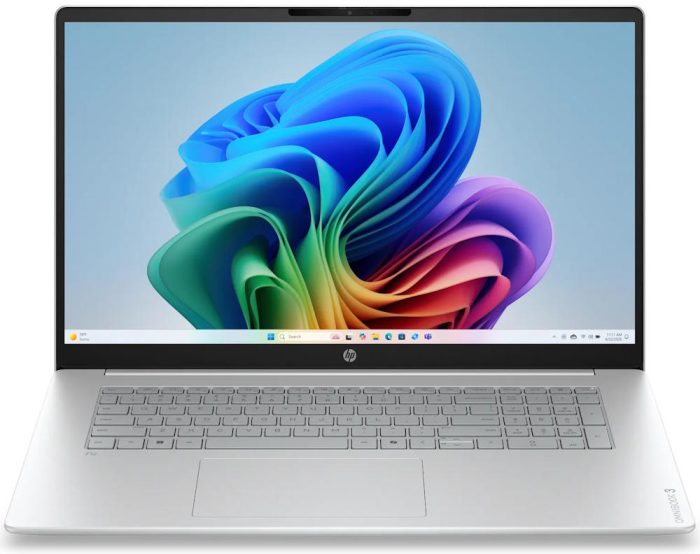
HP OmniBook 3 17-DP0105DX/D10F0UA#ABA 17.3″ Laptop with Intel AMD Ryzen 5, 8GB/512GB
Original price was: $849.99.$449.99Current price is: $449.99. Deal on Best Buy Add to Compare -
Instant Savings
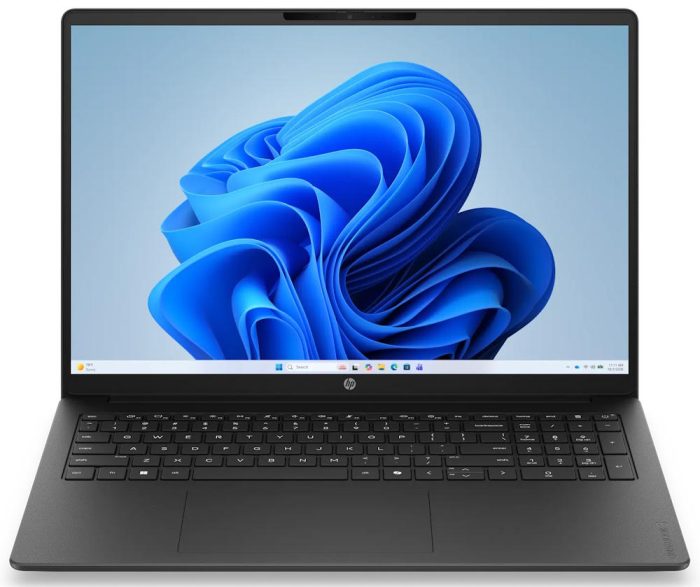
HP OmniBook 3 16T-BU000 Laptop PC
Original price was: $899.99.$469.99Current price is: $469.99. Deal on HP Store Add to Compare
Does it have a play store?
This is a Windows 10 device, so it has Windows Store for apps downloading instead of Android’s Play Store.
What’s the maximal supported SD card capacity?
The manufacturer claims up to 32GB microSD cards are supported.
I’m running a 64 GB card on mine just fine.
Per an RCA tech rep, the Cambio W101 V2 can use a max 128gb micro sd, class 10 card without issues.
how does netflix and hulu play on this?
I haven’t tested Netflix and Hulu, but only YouTube. YouTube video playback up to 1080p runs smoothly on the Atom Bay Trail Z-series, so I assume Netflix and Hulu videos will work fine, too.
Perfect for launching your literary online zine or ebook press from Starbucks or public library. To prove this, just go to Yola, seet up an account, upload a pdf file, set up a button with a link, and have fun. Provide link to Peecho for Print on Demand. Then get another coffee.
Does it have office on it and if so do you have a subscription fee of some sort?
According to the product page at Walmart, it comes with Microsoft Office mobile apps including Word mobile, PowerPoint mobile and Excel Mobile. These are touch-friendly apps downloadable from Windows Store, but they lack some features included in the full-blown Office apps, like the standard Word, Excel, etc.
Many computers similar to the RCA Cambio come with a free 1-year subscription to Office 365 Personal (includes full Office apps), but there’s no word about it on the tablet’s product page.
Are you able to play mmorpgs on it like Fiesta, Perfect World, Wizard10, etc?
Does it have Microsoft Word & PowerPoint
Is it able to run facebook videos and games or does it lack a flash program like other tablets?
The RCA Cambio W101 V2 runs full-blown Windows 10 OS, which supports Adobe Flash. So, yes, Flash is supported.
Does this have a mini display port hookup?
It has a micro HDMI video output port, not Display Port.
Can you play games like minecraft & Roblox on this?
Minecraft on the Atom Bay Trail processors such as the Z3735F in the RCA Cambio W101 V2 can be played on low / fast graphics settings at around 25 fps:
http://laptoping.com/gpus/product/intel-hd-graphics-of-atom-and-celeron-bay-trail-specs-reviews/
I haven’t tested Roblox.
Can I run photoshop?
Yes it can run Adobe Photoshop CS-series software. Take a look at this video:
https://youtu.be/cmEJ4ZJ4C4w?t=8m2s
The tablet in the video is an Asus VivoTab. The RCA Cambio has a very similar Atom CPU, so Photoshop on it will perform similarly.
can I run pc games on this device like off of steam?
Yes, you can, but only lighter games like Counter Strike and Team Fortress 2 on low settings at around 20-25fps.
I am wondering how many basic functions the Microsoft office package can perform? Can I create and edit documents? Can I load office documents such as excel and word files from my email, then edit them and resave them? Please advise.
Here’s what Microsoft says about Word (mobile), which is listed as an included app with the RCA Cambio W101 V2:
“This version of Word is built for phones and tablets (with a screen size of 10.1 inches or smaller). On those devices, you can view, create and edit Word documents for free. You need a qualifying Office 365 subscription to use advanced features.”
The same applies to other Office mobile apps, except OneNote which is fully free on all Windows 10 devices. So you can create and edit docs, but some features won’t be available to you unless you have an Office 365 subscription.
For instance, here’s what you can’t do in Word mobile without Office 365:
• Track and review changes
• Change page orientation
• Insert section and page breaks
• Enable column in page layout
• Customize headers and footers for different pages
• Apply custom colors to text
• Apply custom shading and borders to table cells
• Apply custom colors to shapes
• Insert and edit WordArt
• Add shadows and reflection styles to pictures
For more info, take a look at this page: https://products.office.com/en-us/office-resources#table11
Can an external DVD drive be attached to it? If so, which one would connect to it?
Yes, you can attach an external DVD drive with a USB connector. Every DVD drive with USB 2.0 or USB 3.0 support should work.
Just wondering if this is 32 or 64 bit OS?
32 bit Windows 10
Always been leery of RCA products, does this seem to be of the same quality as an Asus or Acer 2-in-1? Also, can I load a regular version of Office on it?
I am trying to use a streaming site (USTVNOW.com), but after signing in, when I try to go to one of the channels I get a message that says that it appears that I need to install adobe flash plugin – isn’t it already installed ?? Thanks so much for the help and a great website !!
Does this run Photo Shop and Sony Vegas?
The latest Photoshop meets minimal system requirements, so it will run but won’t be very responsive. Sony Vegas requires at least 4GB RAM, so the RCA Cambio doesn’t meet that requirement.
Thanks Daniel for answering these questions
It’s like having a mini windows 10 laptop for $130.
I bought five extra to give away for Christmas.
So far it runs all the same programs I have on my desktop, including Audacity and Movie Maker, and it seems about as fast as my desktop which is an i5 dell.
I love this pc, i do not think of it as a tablet. I don’t use the touch screen, I use it like a laptop with a mouse.
Your friends will go ooh and aaah.
Did you need to buy a specific mouse or did anyone work?
I absolutely love this little guy and I am totally blown away at how good it is. I bought a Mac Book Pro, Dell and HP around the holidays, but decided I like this one so much more, so they all went back. I used to be loyal to Apple, but not anymore. I love Windows 10 and this tablet/computer provides the complete experience in a small package. HIGHLY recommend!
Does it have PDF Reader?
Just got this in last week. I was skeptical, but not anymore. The overall quality is good. The casing is not flimsy but solid hard plastic. Screen touch is very good. Keyboard is also solid with good quality feel. Hinge is double so it’s not flimsy. Overall good product. Excellent at this price. Windows 10 is terrific. This will run everything that a desktop of same hardware specs will. It is a full OS. Add Java. Adobe reader, Open Office, MS Office Suite, whatever. You will need to extend storage with sd card. You can see your full home network just like any other Windows machine can. You can use the MS Store ( which I don’t) or just go to the regular site, like Adobe and download their reader. Unlike Android or IOS, there are no hassles.
Overall, a surprisingly good product.
Windows 10 has its own Reader app for PDF files. Also, you can always download and install Adobe’s Acrobat Reader for free.
I run a DR software for my local High School while announcing football/basketball games. I currently use a Windows 7 laptop and anot external USB based sound card. 1., will this tablet/PCWorld run a basic DR program (is Zulu)? 2. will the USB on this device be able to use my external sound card?
Thanks to anyone who can answer either or both of my questions…
Is anti virus protection needed? if so, what do you recommend.
As this is Windows, it is still very vulnerable to viruses, yes. If you’re willing to pay for protection, BitDefender is almost universally acknowledged as the top antivirus solution, but that makes it a target. That’s why I use Kaspersky for my Win7 box. If you don’t want to pay, I heavily recommend the open source options Avast! or Avira. They’re both in the top 10 (as of two years ago, when I last updated… I haven’t been on Windows in forever…). For me, the decision would go to Avast! simply because it has pirate talk as a language option. 🙂 P.S. Plug for Linux Mint–easier to use and safe from viruses! P.P.S. Have a great day!
I love it
I am trying to use a streaming site (USTVNOW.com), but after signing in, when I try to go to one of the channels I get a message that says that it appears that I need to install adobe flash plugin – isn’t it already installed ?? Thanks so much for the help and a great website !!
Does it run on universal current? (110-220V) or just 110V and how can I get a replacement charger?
You can charge it like a phone via the micro USB port in it. It takes a tag longer to charge though, unless you have a tablet/phone charger with 2amps of output
So I haven’t purchesed mine yet, cause i need to know, I have the RCA Viking Pro II. And the battery life on it isn’t the best. It got worst over time. And i have the budget for this. I REALLY want to get one. But I need to know how good is the battary life. From a scale from 1 to 10. I need this to last me about 2 to 3 years. So please get back to me, thank you.
Bret.
im having problems, my wife bought this for black Friday and she forgot her password, it’s asking for a usb or anything with the password on it, I don’t remember putting one on any extra drives, is there anybody who knows how to hard reset this so I can get this back to factory?
lost password, don’t know how to factory reset this w10. any idea’s? most other tablets have the power down and hold volume but that doesn’t work.
Did you use a Microsoft Account password for logins? If you did, you can try to reset the password on this page: https://account.live.com/password/reset
Would this be a good 2 in 1 to get to do an online course? And does it support an external usb hardrive for more storage?
Yes, it can handle online courses well, since usually they aren’t computing intensive (true, faster Intel Core i-series CPUs can provide smoother experience in some scenarios). The device does support USB external drives, but they will work on slower USB 2.0 speeds instead of 3.0
I would like to create app,game,and website is it a good laptop for it ?
It depends on technologies / software you use for app / game / website creation. Overall, this machine offers very basic performance in comparison to most other PCs, but it can handle well non-demanding software like programming code editors, webpage creation programs like FrontPage and similar.
My mom had gotten me my PC for Christmas and I loved it. Until i turned it off one day and now it won’t charge or turn on. What do I do? Is there something I can do without taking it back or spending money?
You have to send it in for exchange. I bought mine on Black Friday last year, and it died in a month. It was in the mail longer than I had it on my person. And, to top it off, I upgraded to Windows 10, and all drivers were lost. In order to get them, you need to “request them” on RCA’s support site, as they do not post them online. At this point I would just assume get my money back and get an iPad…
Press the volume + the switch button. That will give life to your tablet. You have to be patient till RCA symbol appears again
Can you use steam on it?
Yes, Steam can be normally installed, just like on other Windows PCs. But, not all games will run on this device because of its very basic hardware and you won’t be able to install bigger games due to limited storage space.
Is there Any way to put this into a “Hard Factory Reset”, I can’t get it to turn on at all?
Nope. You have to send it in for exchange. I bought mine on Black Friday last year, and it died in a month. It was in the mail longer than I had it on my person. And, to top it off, I upgraded to Windows 10, and all drivers were lost. In order to get them, you need to “request them” on RCA’s support site, as they do not post them online. At this point I would just assume get my money back and get an iPad…
can it run a 64 bit os
Unfortunately, no. It is a basic tablet and utilizes the 32 bit Windows 10 OS.
Actually it could, since it’s a 64 bit processor. Probably ships with the 32bit version tho, so you’d need to buy a 64bit license if you want a legal installation. Source: http://ark.intel.com/products/80274/Intel-Atom-Processor-Z3735F-2M-Cache-up-to-1_83-GHz
I’m running Windows 10 Pro 64 bit on mine.
Stupid I know, but I’m about to slap home back on it and reclaim that pro license, since it’s a retail, not an update.
Everything sounds interesting about this tablet. One item I haven’t seen discussed much is the battery life. How is it? If there is a problem with the battery, is it replaceable? If so, with what, and where can one be found?
Thank you.
Battery life is OK, not great. Depends on how hard you work it. Running video, cranking up the speakers uses more power than just checking email.
It’s a tablet, so the battery isn’t really accessible. I haven’t cracked the case to check it, but there are youtube disassembly videos.
I was told that it can use up to a 128gb micro sad does anyone know if true? And another thing does the micro sad become another Hard drive like the 32gb installed like it would be drive:D I’m I right or wrong? Please help wanting to know so know what kind and amount to buy 64 or 128gb?
Works fine with a 128GB for me.
Í hace one with a micro SD card of 128 gb and work very well.
Does this have a built-in GPS module? I can’t find this listed anywhere in the specs or the pdf of the manual. I want to use it for navigation with DeLorme Street Atlas 2015. Thank you.
Since it’s not mentioned anywhere, including the official manual over at the RCA support site, I would tell that it doesn’t ship with built-in GPS.
Purchased the RCA Cambio W101 V-2 in Feb.2016,(9 months ago); it’s been harder & harder to turn it on, and it was getting hot when I had it on for a few hours. Few weeks ago I had a full screen of tiny pixels, so I thought – uh-o. Now it’s gone black, dead, na-da!!! I really loved this little puppy, and I used it for hours to do jigsaw puzzles more than anything, and I used it plugged in all the time- never on battery. I’m in the process of returning it for service/repair.
Does anyone have any comments/suggestions – if I was using it incorrectly to cause this to happen? I don’t really know the cause of death just yet, but I’m in mourning!
No one ever answered your reply but in all honesty the only thing I can say is don’t always leave it plugged in as that can burn up the battery. The issue sounds more like an over heat between charging and CPU. Because it has no full function to cool its self down. If you are able find a lap fan it’s what one would use for laptops that have high usage and overheat to cool them down. Don’t put it in anything during charge. If you have a protective case or anything like that put it inside of it after charging as it will overheat possibly damaging anything that can’t withstand the temperature.
piece of shit. would give no stars if I could. deleted all my apps and wouldn’t let me redownload them, got the bsod multiple times after updating to windows 10, its just pure shit.
Has anyone tried this particular machine with the Netflix app? Some of the “basic” tablets can’t handle it, but with the Atom quad’s graphics specs I’m thinking maybe?
I got this tablet for Christmas, I really liked it. I only use it for reading email, eBay and Pinterest….but up until last week, I haven’t been able to turn it on. The manual says I have a re-set button on back but it looks like the pinhole for mic, I stuck a tip of a pin in there, and it started…Wth??? I’m deleting all my stuff and returning it for another one and give that one a try before I totally bad mouth this brand.
How can I factory reset it?
Can this be linked up with a webcam?
Yes, you can use a USB webcam with this device.
Scott – November 20, 2017:
Has anyone tried this particular machine with the Netflix app? Some of the “basic” tablets can’t handle it, but with the Atom quad’s graphics specs I’m thinking maybe?
Yes. I use it for Netflix. I had to update the Windows 10 version to be able to download Netflix shows to watch later. Other than that. Been great.
works for me.It is fine for Netflix movies.
I set the tablet up last night with the same password I always use this morning it’s telling me there’s a wrong password. There’s no Microsoft password connected with the tablet and no support number from rca. Anyone have a clue how to factory reset with a lost password and no voulme button?
My 8 year old daughter accidentaly put a password on the srceen and i cant open it how can i reset it to factory default? Would very much appreciate the help on this.
When you power up the tablet and get to the login screen, touch the Power button in the lower right corner of the screen. The press / click the Shift key on the keyboard and then press / click Restart button on the screen. After restarting the tablet, you’ll presented with a couple of options. One of them is Troubleshooting and under it there’s a Reset your PC option.
I formated my RCA W101 V2 in window 8 and later to window 10 and the touch and sound lost. How do I reinstall the right operating system for the touch and sound to work?
My RCA w101 v2 was formated in window 8 and later to window 10 and the touch and sound stop working, how can reinstall the right operating system or what can I do
Hi, can you go to Control Panel / Device manager and see if there are some devices listed under “Unknown devices”. If there are, then you should do a right-click on an unknown device and click Update driver. If that doesn’t work, you should contact RCA support to give you missing drivers. I can’t find any RCA Cambio drivers online.
Samuel, I have a .zip file that contains one setup file, that installs all of the proper drivers and firmware. I have to run it anytime I either format it, or after all if the big upgrades (ex. – Fall Creators update). Let me know if you still have the problem, I already have it uploaded to my OneDrive account, so I would be able to set it up to share the file.
I have a RCA W101 V2 and I really like it. However, I turned it on today, for the first time in about 2 weeks and it would not flip from vertical to horizontal. Can someone please tell me how to fix this.
You check whether Windows screen rotation lock is on. In the lower-right corner of the screen, there’s Windows notifications center icon (on the right side near the clock). When you click on it, the notification center will pop-up and there should be Rotation Lock option on it. Toggle it to unlock screen rotation (if it is locked). If that doesn’t work, then there might be some rotation sensor driver issue, which can be checked in Control Panel / Device Manager.
ctrl+alt+(arrow ->)
My tablet only plays 2 hours not 6 it is a RCA Cambio ten inch
Help Barbara received for Christmas
in idle mode it does last 6 hours. when you look at specs they always show the time it can last when not being used. do some research and you will find specs for this pc that says while in use it will last up 2 to 3 hrs.
Can RCA cambio be played connected to charger received mine at Christmas and only plays for two hours fully charged on battery
Yes it can. Barely ever unplug mine.
yeah – RCA says 6hrs? No way! 2hrs tops!!! Deceptive advertising…
I’m highly interested in buying the Cambio 10.1…anyways I was wondering what kind of sd card I need…a normal micro sd or a micro sdhc? I’m not very tech savvy..lol so any advice is highly appreciated 🙂
Micro SD and micro SDHC have the same physical size and shape. The difference is that micro SD is available with capacity of up to 4GB, while micro SDHC means secure digital high-capacity (4GB – 32GB). Both are compatible with the W101V2 Cambio. There’s also micro SDXC (extended capacity, larger than 32GB), but it isn’t compatible with the device.
Can it take a sims card to put device on it?
I ment service
Does it have a sim slot?????
No
Not sure what you mean by sim slot. It does have a micro SD slot for memory expansion. A microsd is absolutely necessary for this device because the built in 32Gb of storage is too small to handle even Windows updates.
I know I’m late in the game, was given the RCA hybrid since it wasn’t working (it had a full AND partial OS installation of Win10 which killed any free space. It wouldn’t even boot up. It’s a mystery how that happened.), had to reset to factory specs by allowing the reinstallation of the OS from it’s own internal ROM which was a very slow process, then those Win 10 updates. All in all took approximately 12.5 hours. Since then, this little gem has been running very smoothly for the last 4 months.
Handy little tablet. Got it as a gift 4 months ago. Use it very little but this week have a problem with screen obscured by phantom lines. Tried to contact RCA product support on line but all websites not able to submit problem form. Customer service not easy to use. Think I have to send it back for repair.
I have had the same issue, have you found a solution?
I have a W101V2 Change (in fact I am using it right now) since January 2016 and I am really very happy with it. The only drawback was when I received the operating system did not work properly, so I took the job of reinstalling it … once you solve this point because the machine has worked perfectly well. Just a couple of days ago I had some problems with the keyboard but nothing serious … and understandable after two years of daily use … greetings to all
Where can I find a way to reinstall the operating system mine isn’t working correctly
I also redid WIN10 on my RCA W101, but the sound and touch didn’t work!!Can you help me???
Well I’m not happy with my RCA it was doing ok the first day now it won’t turn on or charge the blue light is always blinking so it never gets full charge
Does anyone know what can be done with the USB port? Can you access files on the RCA. Can you upload files thro it?
What is the mini-USB for? How can it be used???
I bought this rca tablet for my son on Christmas and soon as he turned it on and was checking it out it died we plugged it in and it won’t turn on… What do u do??I plugged it in and left it charging at least 6 to 8 hours and nothing!?with the US port it just blinks blue .. any help would be great!!
Just hold the power button for up to one minute. should power on within one minute
Try charge by usb charer/ or DC in hole 5v-8v 2.0A might be wrong charger
Went out and bought this at Walmart for 150.00 last night. Got it home, booted it up, the rca logo came on, then some text scrolled down the screen and it ended with a >shell_ prompt. Took it back, exchanged it for another and got the exact same thing. This tablet is a piece of shit. I’m taking it back, going to spend an extra 50 bucks and buy a better name brand. I should have known it would be crap with the RCA brand attached to it.
Bought one around 2016-7 for $100 at Walmart. Worked great for almost a year, then periodically it’s screen would pixelate and it would reboot itself. Fortunately, I had purchased the warranty and got most of my money back. This year (Dec 2019), bought another one at Walmart for $70 + $30 2-yr warranty. So far, it works great. We’ll see how it goes. Although memory is limited, without adding an SD card, I use the entire MS Office 365 suite (downloaded version) and the Second Life virtual reality viewer and all is well. The viewer works as well as on my desktop and, due to the solid state drive, loads 10x as fast. I don’t do gaming but then I wouldn’t expect it to perform like a gaming computer.
lmfao all you had to do was change Boot Order from Shell Prompt to Windows Boot Manager
Can I use Linux on this? From the specs it looks like a better Linux machine than Windows machine. (2 GB RAM won’t affect it as much.)
Can anyone tell me about the voice recognition, does it ask you to repeat phrases?
What phrases does it ask you to repeat for voice recognition?
I have read a lot of reviews on this item before I make this purchase. I want to use the tablet hybrid as a everyday tool. Since it runs like a laptop, is there any apps I can download that will allow me to free right on the screen with a stiles, or allow me to free draw with a stylist or pen? (Tablet friendly stylist)
After following RCA instructions to the letter for getting into the BIOS after countless hours, I’d like to know the exact timing or method to get into the BIOS! I turn it on, wait for the first of two RCA logos and press the ESC key, but it goes to a second RCA logo and starts loading Windows! I have pressed the ESC key so many times I can’t count!
When starting already press the “esc” button desperately, the bios will be displayed.
Delete,ESC, F2 open bio’s must keep tapping them before RCA logo, Turn off Quick Boot makes things easier
fegopbawsndydaxnrmgrgwuzzewjgr
fegopbawsndydaxnrmgrgwuzzewjgr
Tablet runs alot better with Windows 10 Gamer Lite Edition. Doesn’t have all extra stuff normal windows does. I don’t see any problem besides tryna boot 64 bit windows from usb. Tried going by manual still can’t get it. Delete,ESC, F2 open bio’s must keep tapping them before RCA logo, Turn off Quick Boot makes things easier
I really like the interface of Windows 8.1 (yeah, I’m weird like that) and am downloading it. Any answers?
You can tailor Win 10 to look & flow as 8.1
piece of crap
bios dump where you can download?
I accidentally turned off the screen in the bios and now I have a black