
When shopping for a laptop PC, you may notice that some of the most affordable models by HP, Dell, Lenovo, Asus, Acer and other makers come with Windows 11 in S Mode. At first glance, this can feel limiting. To enhance security, S Mode only allows apps from the Microsoft Store, blocking popular programs like Google Chrome or MS Office-type productivity apps.
The reassuring part: any Windows 11 laptop in S Mode can be switched to full Windows 11 Home. The process is free, permanent, and straightforward:
- Go to Settings → System → Activation → Switch to Windows 11 Home,
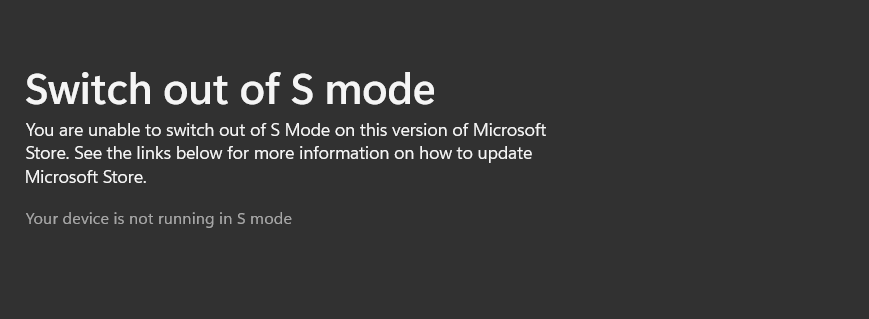
- then follow the link to the Microsoft Store. There you’ll see an option to get out of S Mode.
Once confirmed, your laptop runs the full edition of Windows Home, letting you install all Windows programs without restrictions.
This means you don’t need to avoid laptops with S Mode. They’re typically cheaper, and with one quick switch you’ll have the same functionality as with any standard Windows 11 Home machine.
This applies to any S Mode-based notebook PC, no matter if it’s by HP, Dell, Lenovo, Asus, Acer or any other manufacturer. The free upgrade process is the same on all of them.
Anyway, if you really want to avoid getting an S Mode laptop, you can check out our selection of laptop deals with full Windows 11 Home (or Pro). This can be a good choice if you for instance want to order a laptop as a gift to someone who isn’t computer-savvy enough to perform the OS upgrade.
As a side note, if you want Windows 11 Pro instead of Home, that’s a separate upgrade you purchase through the Microsoft Store after leaving S Mode. In other words, the free switch only takes you to Home, but you can pay to move up to Pro later if you need advanced features like BitLocker or Remote Desktop.
Frequently Asked Questions
Yes, you can get out of S Mode in Windows 11 Home by switching to “full” Windows 11 Home via Windows settings. The upgrade is free of charge.